Blank monthly schedule: 22 free editable Word templates
One schedule per person, team or task, for any month.
Type in dates and times in Word or Google Docs.
Advertisement
Find the right monthly schedule
Month grids (templates 1 to 16)
A column for each day of the week and a box for each day, with room for names, times and shifts, in four styles: plain with a small box for the date (templates 1, 2, 9 and 10), lined with room for week numbers at the sides (3, 4, 11 and 12), in color (5, 6, 13 and 14) and minimalist with the weekends shaded (7, 8, 15 and 16). Templates 1 to 8 start the week on Sunday, templates 9 to 16 on Monday.
Day-by-day lists (templates 17 to 22)
The days numbered 1 to 31 down the page, one line per day - just right for a schedule with one entry per day, such as who is on duty. Choose one month per page (templates 17 and 18), two months side by side (19 and 20) or three months for a sports season, a rotation or a project that runs a few months (21 and 22).
Landscape or portrait
The odd-numbered templates are in landscape and the even-numbered ones in portrait, all on US Letter paper (8.5 x 11 inches). To save color ink, you can print any template in black and white.
Who or what it is for
Templates 1 to 18 have a "Monthly schedule for:" line for a name, a team or a task, and the 2-month and 3-month templates 19 to 22 a "Month:" line over each month. No dates or year are printed: the grids show the weekdays and the lists the day numbers.
Edit in Word, then print
Type the name and the month on the top line, add the dates and fill each day with shifts, visits or tasks, use cell shading or colored text for days off and for different people, or add your own logo alongside the Calendarpedia logo (our FAQ shows how to add your own dates, colors or logo). The schedule also opens in Google Docs and Word for the web; save one file per person or team, and a fresh copy each month. Prefer to write by hand? The same monthly schedules are available as PDF files.
Monthly schedules with weeks starting Sunday
for Microsoft Word (8 templates)

Template 1:
Monthly schedule
landscape
- monthly schedule on one page
- page orientation: landscape (horizontal)
- weeks start on Sunday (see below for Monday start schedules)
- with lots of room for notes for each day
- use as a monthly work schedule, shift schedule or on-call schedule
- blank, undated, editable, printable
- easy to customize and adapt to your needs
Download template 11 page · 55 KB · docx file
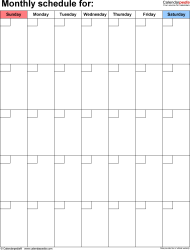
Template 2:
Monthly schedule
portrait
- monthly schedule on one page
- page orientation: portrait (vertical)
- weeks start on Sunday (see below for Monday start schedules)
- with lots of room for notes for each day
- use as a monthly payment schedule, cleaning schedule or maintenance schedule
- blank, undated, editable, printable
- easy to customize and adapt to your needs
Download template 21 page · 53 KB · docx file
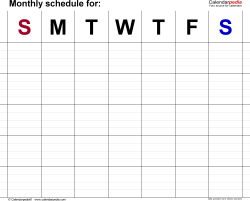
Template 3:
Monthly schedule
landscape, lined
- monthly schedule on one page, lined/ruled
- page orientation: landscape (horizontal)
- weeks start on Sunday (see below for Monday start schedules)
- with room for week numbers at the sides
- blank, undated, editable, printable
- easy to customize and adapt to your needs
Download template 31 page · 54 KB · docx file

Template 4:
Monthly schedule
portrait, lined
- monthly schedule on one page, lined/ruled
- page orientation: portrait (vertical)
- weeks start on Sunday (see below for Monday start schedules)
- with room for week numbers at the sides
- blank, undated, editable, printable
- easy to customize and adapt to your needs
Download template 41 page · 55 KB · docx file

Template 5:
Monthly schedule
landscape, in color
- monthly schedule on one page, in color
- page orientation: landscape (horizontal)
- weeks start on Sunday (see below for Monday start schedules)
- great as a kids' monthly schedule
- with lots of room for notes for each day
- blank, undated, editable, printable
- easy to customize and adapt to your needs
Download template 51 page · 55 KB · docx file

Template 6:
Monthly schedule
portrait, in color
- monthly schedule on one page, in color
- page orientation: portrait (vertical)
- weeks start on Sunday (see below for Monday start schedules)
- great as a kids' monthly schedule
- with lots of room for notes for each day
- blank, undated, editable, printable
- easy to customize and adapt to your needs
Download template 61 page · 53 KB · docx file
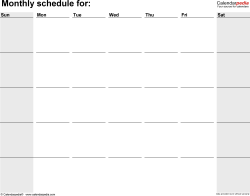
Template 7:
Monthly schedule
landscape, minimalist
- monthly schedule on one page, minimalist
- page orientation: landscape (horizontal)
- weeks start on Sunday (see below for Monday start schedules)
- with lots of room for notes for each day
- blank, undated, editable, printable
- easy to customize and adapt to your needs
Download template 71 page · 54 KB · docx file
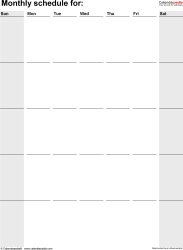
Template 8:
Monthly schedule
portrait, minimalist
- monthly schedule on one page, minimalist
- page orientation: portrait (vertical)
- weeks start on Sunday (see below for Monday start schedules)
- with lots of room for notes for each day
- blank, undated, editable, printable
- easy to customize and adapt to your needs
Download template 81 page · 54 KB · docx file
Monthly schedules with weeks starting Monday
for Microsoft Word (8 templates)
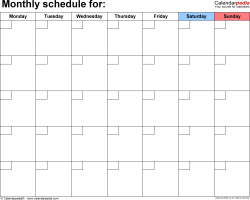
Template 9:
Monthly schedule
landscape, Monday start
- monthly schedule on one page
- page orientation: landscape (horizontal)
- weeks start on Monday (see above for Sunday start schedules)
- with lots of room for notes for each day
- use as a monthly work schedule, shift schedule or on-call schedule
- blank, undated, editable, printable
- easy to customize and adapt to your needs
Download template 91 page · 55 KB · docx file
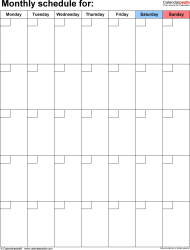
Template 10:
Monthly schedule
portrait, Monday start
- monthly schedule on one page
- page orientation: portrait (vertical)
- weeks start on Monday (see above for Sunday start schedules)
- with lots of room for notes for each day
- use as a monthly payment schedule, cleaning schedule or maintenance schedule
- blank, undated, editable, printable
- easy to customize and adapt to your needs
Download template 101 page · 53 KB · docx file
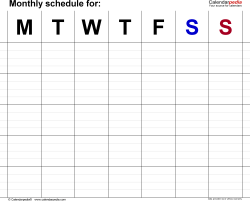
Template 11:
Monthly schedule
landscape, lined, Monday start
- monthly schedule on one page, lined/ruled
- page orientation: landscape (horizontal)
- weeks start on Monday (see above for Sunday start schedules)
- with room for week numbers at the sides
- blank, undated, editable, printable
- easy to customize and adapt to your needs
Download template 111 page · 54 KB · docx file
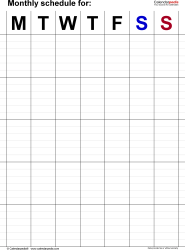
Template 12:
Monthly schedule
portrait, lined, Monday start
- monthly schedule on one page, lined/ruled
- page orientation: portrait (vertical)
- weeks start on Monday (see above for Sunday start schedules)
- with room for week numbers at the sides
- blank, undated, editable, printable
- easy to customize and adapt to your needs
Download template 121 page · 55 KB · docx file
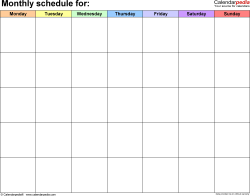
Template 13:
Monthly schedule
landscape, in color, Monday start
- monthly schedule on one page, in color
- page orientation: landscape (horizontal)
- weeks start on Monday (see above for Sunday start schedules)
- great as a kids' monthly schedule
- with lots of room for notes for each day
- blank, undated, editable, printable
- easy to customize and adapt to your needs
Download template 131 page · 55 KB · docx file
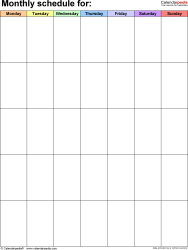
Template 14:
Monthly schedule
portrait, in color, Monday start
- monthly schedule on one page, in color
- page orientation: portrait (vertical)
- weeks start on Monday (see above for Sunday start schedules)
- great as a kids' monthly schedule
- with lots of room for notes for each day
- blank, undated, editable, printable
- easy to customize and adapt to your needs
Download template 141 page · 53 KB · docx file
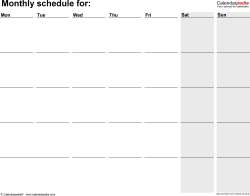
Template 15:
Monthly schedule
landscape, minimalist, Monday start
- monthly schedule on one page, minimalist
- page orientation: landscape (horizontal)
- weeks start on Monday (see above for Sunday start schedules)
- with lots of room for notes for each day
- blank, undated, editable, printable
- easy to customize and adapt to your needs
Download template 151 page · 54 KB · docx file
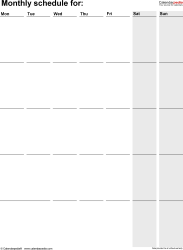
Template 16:
Monthly schedule
portrait, minimalist, Monday start
- monthly schedule on one page, minimalist
- page orientation: portrait (vertical)
- weeks start on Monday (see above for Sunday start schedules)
- with lots of room for notes for each day
- blank, undated, editable, printable
- easy to customize and adapt to your needs
Download template 161 page · 54 KB · docx file
Monthly schedules with days arranged vertically
for Microsoft Word (6 templates)
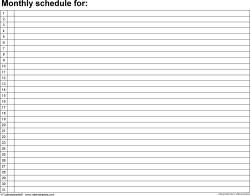
Template 17:
Monthly schedule
landscape
- monthly schedule on one page
- page orientation: landscape (horizontal)
- days arranged vertically (below each other)
- blank, undated, editable, printable
- easy to customize and adapt to your needs
Download template 171 page · 53 KB · docx file
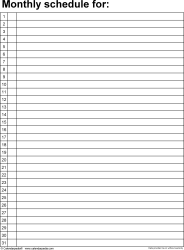
Template 18:
Monthly schedule
portrait
- monthly schedule on one page
- page orientation: portrait (vertical)
- days arranged vertically (below each other)
- blank, undated, editable, printable
- easy to customize and adapt to your needs
Download template 181 page · 46 KB · docx file
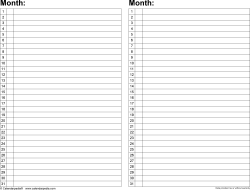
Template 19:
2-month schedule
landscape
- two monthly schedules on one page, side by side
- page orientation: landscape (horizontal)
- days arranged vertically (below each other)
- blank, undated, editable, printable
- easy to customize and adapt to your needs
Download template 191 page · 47 KB · docx file
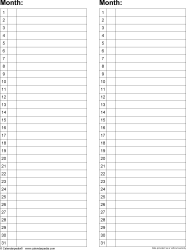
Template 20:
2-month schedule
portrait
- two monthly schedules on one page, side by side
- page orientation: portrait (vertical)
- days arranged vertically (below each other)
- blank, undated, editable, printable
- easy to customize and adapt to your needs
Download template 201 page · 47 KB · docx file

Template 21:
3-month schedule
landscape
- three monthly schedules on one page, side by side
- page orientation: landscape (horizontal)
- days arranged vertically (below each other)
- handy for a sports season, a rotation or a project that runs a few months
- blank, undated, editable, printable
- easy to customize and adapt to your needs
Download template 211 page · 48 KB · docx file

Template 22:
3-month schedule
portrait
- three monthly schedules on one page, side by side
- page orientation: portrait (vertical)
- days arranged vertically (below each other)
- handy for a sports season, a rotation or a project that runs a few months
- blank, undated, editable, printable
- easy to customize and adapt to your needs
Download template 221 page · 48 KB · docx file
Using your monthly schedule
Filling in and using a monthly schedule
Adding the dates
Fill in the name and the dates first, starting from the weekday the 1st falls on, then copy the sheet if several people or teams need the same month. The grids have five rows of weeks, so when a month spills into a sixth week, write two dates in one box of the bottom row, the way printed calendars do with 23/30 or 24/31.
Ways to use a monthly schedule
A blank monthly schedule fits anything that has to be covered day by day across a month: a monthly work schedule for one employee with shifts, days off and vacation days, an on-call schedule showing who is covering which day, a cleaning schedule or chore schedule for a home, an office or a shared apartment, a maintenance schedule for a car, a building or equipment, a payment schedule with rent, bills and installments due, a posting schedule for social media, newsletters and blog articles, a meeting schedule for a club, a board or a committee, a parenting time or custody schedule showing which days the children spend where, a care schedule for a family member with visits and appointments, a practice and game schedule for a sports team, or a volunteer schedule for an event, a food bank or a place of worship.
Monthly schedule or monthly planner?
Same layouts, different job
The monthly planners have a plain "Month:" line, for your own goals, to-dos and month-at-a-glance overview; the monthly schedules name who or what the month is for.
By the hour or by the quarter
For a schedule broken down by the hour, use the weekly schedules, and for three months per page, the quarterly schedules.
Ideas for your monthly schedule in Word
Schedules in handbooks and letters
Copy the month into a volunteer handbook, a letter to families with the carpool or snack schedule, or an on-call list for a clinic, with the names typed into the days. Change the fonts to match the rest of the document and add your own logo alongside the Calendarpedia logo.
Tracked changes and a PDF
Turn on Review → Track Changes while the schedule is still being agreed, so every change shows who made it. Once it is final, File → Save As → PDF gives you a copy to email that nobody can change by mistake.
Using the templates
Terms of Use
All templates on this site may be used free of charge, at home, at work and at school, provided that the Calendarpedia logo, the copyright notice with the website address ("© Calendarpedia® www.calendarpedia.com") and the disclaimer ("Data provided 'as is' without warranty") stay on the template. The templates may not be sold or built into products that are sold, and the blank templates (or copies with only minor changes) may not be offered for download on other websites. All content on this site is protected by copyright © 2011-2026 Calendarpedia®. All rights reserved. Data is provided 'as is' without warranty of any kind, may contain errors and is subject to change without notice. If you find a mistake, please let us know. Full details are in our Terms of Use.
System requirements and compatibility
Every template is saved in Microsoft Word (.docx) format, the Office Open XML document format standardized as ISO/IEC 29500.
- Microsoft Word
The templates open in Word 2007 and later for Windows, Word 2008 and later for Mac, Microsoft 365 and Word for the web. - Google Docs
The .docx files open in Google Docs with the layout intact, so you can type into the template from a browser on any computer, tablet or phone without installing anything. - Free alternatives
If you do not have Word installed, Microsoft 365 for the web is free to use in a browser, and free desktop alternatives such as FreeOffice TextMaker and LibreOffice Writer open our templates without formatting errors. Apple's Pages opens the files too, but the layout may shift, and OpenOffice Writer unfortunately can't open our Word calendars correctly. - Editing on a phone or tablet
The Word app for Android and iOS and the Google Docs app both open these files, so you can add or check an entry away from your desk and print the sheet later from any computer. - Your own dates, colors and logo
Type your entries straight into the day cells, shade the days that matter to you and add your own logo alongside the Calendarpedia logo - our FAQ shows how to add your own dates, colors or logo. - Printing in black and white
To save color ink, you can print any template in black and white. - Older versions of Word
Word 2003 and older versions can't open .docx files directly. Open the template in Word for the web or one of the free programs above instead, or use the PDF version of the calendar.
How to open and print these templates in Google Docs
Download the .docx file first. Then either drag it into Google Drive, right-click it and choose Open with → Google Docs, or open Docs and go to File → Open → Upload. The template keeps its layout, and you can type into it exactly as you would in Word.
To print from Docs, go to File → Print and check that the page orientation matches the template you chose - File → Page setup changes it if it doesn't. Because the file sits in Drive, you can share it with a team or a family and everyone works on the same template.
Problems downloading, opening or printing a template?
Our FAQ explains how to print a template in a different size or in black and white, what to do if the edges are cut off, a download doesn't work or a file won't open in Excel or Word, which other programs you can use and how to add your own dates, colors or logo.