Split Year Calendars 2019/2020 for Microsoft Excel
Free printable split year calendar templates for July 2019 to June 2020 in Microsoft Excel format |
Sponsored links
Split year/half year calendars running from July 1, 2019 to June 30, 2020. Version for the United States. Free to download and print. The calendars show the second half of 2019 and the first half of 2020 (mid-year to mid-year) on a single sheet. Available in landscape and portrait orientation, for a summer to summer planner for dates, schedules and events, and for tracking proposals and projects. The calendars are multi-purpose, modifiable, adjustable and customizable, and suitable for a great variety of uses, e.g. as a non-standard full-year planner, school or academic year planner, club, society or hobby season calendar or agenda, vacation, trip and holiday planner, application process and progress tracker, event and special occasion planner, business calendar, year planner, desk calendar or wall planner, for project planning/project management, time tracking and many more. Get organized and plan ahead with these colorful, flexible split-year calendars and planners!
The templates are blank, printable and macro-free and are easy to edit, amend, save and use again later. They are saved in Microsoft Excel ".xlsx" format and can be used with the newer versions of Excel that support the XML document standard (files with ".xlsx" extension - Excel 2007 to 2021 and Office 365). If you have one of the older versions of Excel that only supports the ".xls" format (Excel 2000, 2002/XP and 2003), or if you don't have Excel installed, use Microsoft Office Online or one of the free Microsoft Excel/Microsoft Office alternatives FreeOffice PlanMaker, LibreOffice Calc and Google Sheets, which are all free of charge (OpenOffice Calc unfortunately has minor formatting problems when opening our calendars). Also compatible with Microsoft Office for Mac (macOS) and Microsoft Office mobile for iPad/iOS, Android and Windows 10 mobile. Read more about the various Excel versions and file formats on Wikipedia. More free Excel calendar templates are also available from the Microsoft template gallery (calendar section).
The files are customizable and can be easily modified and adapted to meet your specific requirements, then saved and used again at a later stage. All calendars are blank, macro-free, editable and printable and may be used free of charge for non-commercial use, provided that the Calendarpedia logo, the copyright notice ("© Calendarpedia®, www.calendarpedia.com") and the disclaimer ("Data provided 'as is' without warranty") are not removed. Not for commercial distribution or resale. For commercial use please contact us. All content of this website is copyright © 2011-2024 Calendarpedia®. All rights reserved. Data provided 'as is' without warranty and subject to error and change without notice.
Important note regarding paper size:
All templates downloadable below are in US letter paper size (8.5 by 11 inches - as used in the USA, Canada, Mexico, the Philippines and some South American countries). For templates in A4 paper size (the international standard paper size used in all other parts of the world) please see Calendarpedia's UK edition.
See also:
Other multi-year calendars for 2019/20:
Calendars for 2019:
The templates are blank, printable and macro-free and are easy to edit, amend, save and use again later. They are saved in Microsoft Excel ".xlsx" format and can be used with the newer versions of Excel that support the XML document standard (files with ".xlsx" extension - Excel 2007 to 2021 and Office 365). If you have one of the older versions of Excel that only supports the ".xls" format (Excel 2000, 2002/XP and 2003), or if you don't have Excel installed, use Microsoft Office Online or one of the free Microsoft Excel/Microsoft Office alternatives FreeOffice PlanMaker, LibreOffice Calc and Google Sheets, which are all free of charge (OpenOffice Calc unfortunately has minor formatting problems when opening our calendars). Also compatible with Microsoft Office for Mac (macOS) and Microsoft Office mobile for iPad/iOS, Android and Windows 10 mobile. Read more about the various Excel versions and file formats on Wikipedia. More free Excel calendar templates are also available from the Microsoft template gallery (calendar section).
The files are customizable and can be easily modified and adapted to meet your specific requirements, then saved and used again at a later stage. All calendars are blank, macro-free, editable and printable and may be used free of charge for non-commercial use, provided that the Calendarpedia logo, the copyright notice ("© Calendarpedia®, www.calendarpedia.com") and the disclaimer ("Data provided 'as is' without warranty") are not removed. Not for commercial distribution or resale. For commercial use please contact us. All content of this website is copyright © 2011-2024 Calendarpedia®. All rights reserved. Data provided 'as is' without warranty and subject to error and change without notice.
Important note regarding paper size:
All templates downloadable below are in US letter paper size (8.5 by 11 inches - as used in the USA, Canada, Mexico, the Philippines and some South American countries). For templates in A4 paper size (the international standard paper size used in all other parts of the world) please see Calendarpedia's UK edition.
See also:
- Split year calendars for other years: 2022/23 · 2023/24 · 2024/25 · 2025/26 · 2026/27 · earlier years
- Split year calendars 2019/20 in other file formats: Word · Excel · PDF
- Split year calendars for other countries: United Kingdom · Germany
Other multi-year calendars for 2019/20:
- School calendars 2019/20 (August 2019 to July 2020)
- Academic calendars 2019/20 (September 2019 to August 2020)
- Fiscal calendars 2020 (October 2019 to September 2020)
- Two year calendars 2019/20 (two years on one page)
- Three year calendars 2019-21 (three years on one page)
Calendars for 2019:
- Hourly calendars
- Daily calendars
- Weekly calendars 2019 (one page for every week of the year)
- Monthly calendars 2019:
January · February · March · April · May · June · July · August · September · October · November · December - Yearly calendar 2019
Split year calendars 2019/20 in landscape orientation (4 templates)
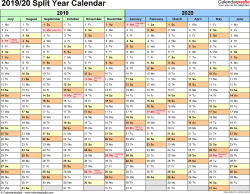
Template 1:
Split year calendar 2019/20
landscape
- calendar for second half 2019 and first half 2020 on 1 page (running from July 1, 2019 to June 30, 2020)
- months horizontally (along the top), days vertically (down the side)
- US edition with federal holidays and observances
- free to download, editable, customizable, easily printable
- for Microsoft Excel (.xlsx file)
Download template 1
View large image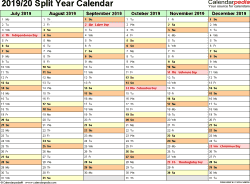
Template 2:
2019/2020 split year/half year calendar,
landscape, 2 pages,
half a year per page
Template 2:
2019/2020 split year/half year calendar,
landscape, 2 pages,
half a year per page
Template 2:
Split year calendar 2019/20
landscape, 2 pages
- calendar for second half 2019 and first half 2020 on 2 pages (running from July 1, 2019 to June 30, 2020)
- half a year / 6 months per page
- US edition with federal holidays and observances
- free to download, editable, customizable, easily printable
- for Microsoft Excel (.xlsx file)
Download template 2

Template 3:
Split year calendar 2019/20
landscape, linear
- calendar for second half 2019 and first half 2020 on 1 page (running from July 1, 2019 to June 30, 2020)
- linear calendar: days horizontally (along the top), months stacked vertically
- use as split year project timeline tracker
- US edition with federal holidays and observances
- free to download, editable, customizable, easily printable
- for Microsoft Excel (.xlsx file)
Download template 3
View large image
Template 4:
2019/2020 split year/half year calendar,
landscape, 1 page,
year at a glance
Template 4:
2019/2020 split year/half year calendar,
landscape, 1 page,
year at a glance
Template 4:
Split year calendar 2019/20
landscape, year at a glance
- calendar for second half 2019 and first half 2020 on 1 page (running from July 1, 2019 to June 30, 2020)
- classic design 12-months planner
- US edition with federal holidays and observances
- free to download, editable, customizable, easily printable
- for Microsoft Excel (.xlsx file)
Download template 4
See also:
- split year calendars for 2018/19 · 2019/20 · 2020/21 · earlier and later years
- yearly calendars 2019 and 2020
- two year calendars 2019/20 (two years on one page)
- these templates in Word and PDF file formats
Split year calendars 2019/20 in portrait orientation (4 templates)
View large image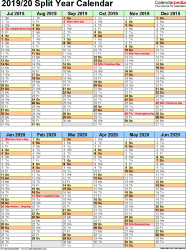
Template 5:
2019/2020 split year/half year calendar,
portrait, 1 page,
two half-year blocks
Template 5:
2019/2020 split year/half year calendar,
portrait, 1 page,
two half-year blocks
Template 5:
Split year calendar 2019/20
portrait, two half-year blocks
- calendar for second half 2019 and first half 2020 on 1 page (running from July 1, 2019 to June 30, 2020)
- US edition with federal holidays and observances
- free to download, editable, customizable, easily printable
- for Microsoft Excel (.xlsx file)
Download template 5

Template 6:
Split year calendar 2019/20
portrait
- calendar for second half 2019 and first half 2020 on 1 page (running from July 1, 2019 to June 30, 2020)
- US edition with federal holidays and observances
- free to download, editable, customizable, easily printable
- for Microsoft Excel (.xlsx file)
Download template 6
View large image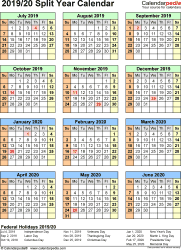
Template 7:
2019/2020 split year/half year calendar,
portrait, 1 page,
year at a glance
Template 7:
2019/2020 split year/half year calendar,
portrait, 1 page,
year at a glance
Template 7:
Split year calendar 2019/20
portrait, year at a glance
- calendar for second half 2019 and first half 2020 on 1 page (running from July 1, 2019 to June 30, 2020)
- US edition with federal holidays and observances
- free to download, editable, customizable, easily printable
- for Microsoft Excel (.xlsx file)
Download template 7
View large image
Template 8:
2019/2020 split year/half year calendar,
portrait, 1 page,
continuous (rolling) layout
Template 8:
2019/2020 split year/half year calendar,
portrait, 1 page,
continuous (rolling) layout
Template 8:
Split year calendar 2019/20
portrait, continuous (rolling) layout
- calendar for second half 2019 and first half 2020 on 1 page (running from July 1, 2019 to June 30, 2020)
- US edition with federal holidays and observances
- free to download, editable, customizable, easily printable
- for Microsoft Excel (.xlsx file)
Download template 8
Calendar templates
Home · Sitemap / archive
Yearly calendars
Quarterly calendars
PDF · Word · Excel
Monthly calendars
Mar · Apr · May · Jun · Jul Weekly calendars
Daily calendars
PDF · Word · Excel
Hourly calendars
PDF · Word · Excel
Split year calendars 24/25
PDF · Word · Excel
School calendars 24/25
PDF · Word · Excel
Academic calendars 24/25
PDF · Word · Excel
Fiscal calendars 2024
PDF · Word · Excel
2 year calendars 24/25
PDF · Word · Excel
3 year calendars 24-26
PDF · Word · Excel
Photo calendars 2024
PDF · Word · Excel
Birthday calendars
PDF · Word · Excel
Blank calendars
PDF · Word · Excel
Perpetual calendars
PDF · Word · Excel
Yearly calendars
| PDF: | 2024 · 2025 / 2026 |
| Word: | 2024 · 2025 / 2026 |
| Excel: | 2024 · 2025 / 2026 |
PDF · Word · Excel
Monthly calendars
Mar · Apr · May · Jun · Jul Weekly calendars
| PDF: | 2024 · 2025 / 2023 |
| Word: | 2024 · 2025 / 2023 |
| Excel: | 2024 · 2025 / 2023 |
PDF · Word · Excel
Hourly calendars
PDF · Word · Excel
Split year calendars 24/25
PDF · Word · Excel
School calendars 24/25
PDF · Word · Excel
Academic calendars 24/25
PDF · Word · Excel
Fiscal calendars 2024
PDF · Word · Excel
2 year calendars 24/25
PDF · Word · Excel
3 year calendars 24-26
PDF · Word · Excel
Photo calendars 2024
PDF · Word · Excel
Birthday calendars
PDF · Word · Excel
Blank calendars
PDF · Word · Excel
Perpetual calendars
PDF · Word · Excel
Online Calendars
More...